-Main.svg)
Key Takeaways:
- Comprehend which part of your content triggered the claim. If you have the proper permissions, the material is in the public domain, or your use is a fair use, you can dispute it.
- Avoid future claims by using music from Facebook’s library of tracks or other royalty-free sources. Always ensure your content aligns with the license agreement to stay compliant.
- Platforms like Facebook enforce copyright to protect creators. Knowing the rights on platforms and how to use licensed or public content helps prevent disruptions to your posts.
Social media platforms like Facebook have strict guidelines regarding copyright to protect content creators’ intellectual property. If you’ve received a copyright claim on your Facebook post or video, it’s crucial to handle the issue carefully.
Ignoring the claim could lead to content removal or, worse, account suspension. In this article, we’ll explore how to remove a copyright claim on Facebook, step by step, and provide tips to avoid future issues.
What Is a Copyright Claim on Facebook, and How Does It Work?
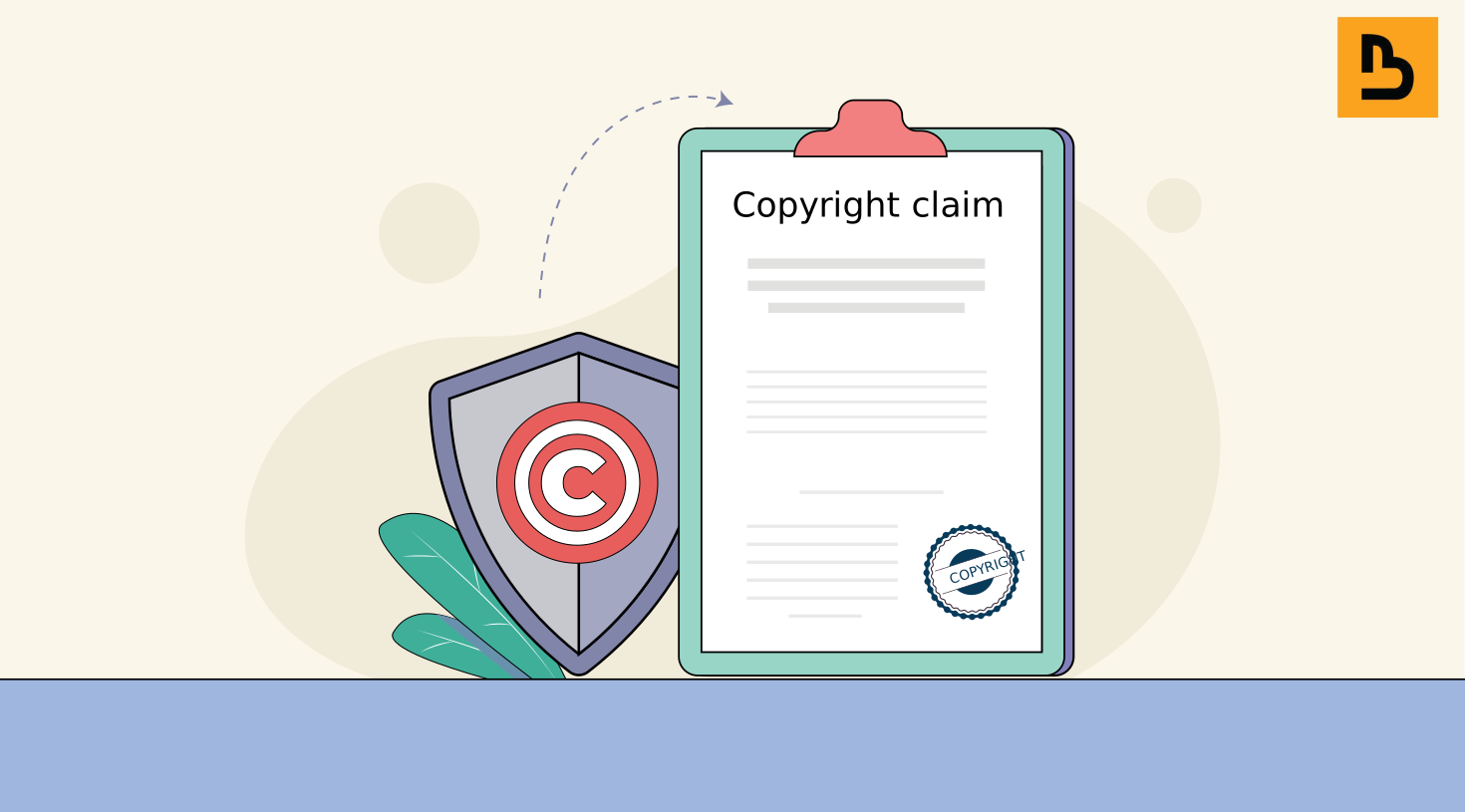
A copyright claim on Facebook occurs when someone reports that content you’ve posted infringes on their intellectual property rights.
In simple terms, if you’ve uploaded a video, image, or even a piece of music that someone else owns, the original creator (or copyright holder) can file a complaint against you. When this happens, Facebook can take various actions, such as muting the audio of your video, blocking it, or removing the content entirely.
But why does Facebook take this so seriously? Well, Facebook, like many other platforms, is bound by copyright laws, including the Digital Millennium Copyright Act (DMCA).
To keep the DMCA’s safe harbour, which protects them from liability for what users post, platforms like Facebook must act quickly to remove infringing content once they’re notified of it. Facebook also has automated systems (Meta’s Rights Manager, which matches video, audio and images) and reporting tools that help copyright holders identify and claim unauthorised use of their work.
When a claim is made, Facebook’s system typically sends the person who posted the content a notice. This gives them the option to take action – either remove the content, dispute the claim, or provide evidence that they have permission to use the content.
One thing to keep in mind is that copyright claims are not necessarily the same as strikes. A copyright strike is a removal after a formal copyright report, and it’s much more severe: Facebook can disable the accounts of repeat infringers. A claim, on the other hand, is more of a notice, and it’s generally easier to resolve.
Common Types of Content That Can Trigger a Copyright Claim
- Music: The most common issue arises when users post videos with background music they don’t own.
- Images: Posting photos or artwork without permission can lead to claims.
- Videos: Sharing someone else’s video, even clips, without consent can lead to infringement issues.
How Do Users Know They’ve Received a Copyright Claim on Facebook?
If you’ve ever had a copyright claim on Facebook, you’ll know that it’s not exactly subtle. Facebook has a clear system in place for notifying users when their content has been flagged. Knowing how this notification process works can help you stay on top of any claims and take the necessary action promptly.
First off, when you receive a copyright claim, Facebook sends you a notification, much like how you get notified about friend requests or comments. This notification will often come through both the app and email, and it typically reads something like, “Your video has been muted” or “Your content has been blocked.” The key is not to panic. This doesn’t mean you’re in trouble – yet.
In addition to notifications, Facebook will usually place a clear warning on the post in question. This will detail the nature of the claim, including which part of the content is being claimed (e.g., “the audio track in your video” or “an image used in your post”). This notification will also include the claimant’s name or organisation, so you can see exactly who is alleging copyright infringement.
Here’s what a notification might include:
- Type of infringement: Facebook will tell you if it’s the music, image, or video that’s causing the issue.
- Content affected: You’ll be able to see which specific post is being flagged.
- Action taken by Facebook: They’ll notify you whether they muted the audio, blocked the content, or restricted its visibility.
- Claimant information: In many cases, you’ll also see the name of the person or company that filed the claim.
- Options to resolve: Facebook gives users multiple ways to proceed, including removing the content or filing a dispute.
For more serious cases, where a claim is escalated to a strike, you may also receive a warning that further violations could lead to more severe consequences. Facebook doesn’t publish a set number of strikes, but its repeat-infringer policy lets it disable the accounts of people who keep posting infringing content.
Additionally, Facebook shows your account’s history of violations, and any restrictions on it and how long they’ll last, in Account Status. It’s helpful to check this regularly, especially if you’re a frequent content creator.
So, if you receive one of these notifications, don’t ignore it! Comprehending how to interpret Facebook’s alerts is the first step toward resolving any issues.
Copyright Situations on Facebook: A Quick Table
| Scenario | Solution | Risk Level |
|---|---|---|
| Used copyrighted music in a video | Obtain necessary licenses or permissions, or use royalty-free music in videos | High |
| Posted someone’s photo without credit | Get the photographer’s permission or a license; credit alone isn’t enough | Medium |
| Reposted a movie clip | Obtain necessary licenses or permissions; a short clip is not automatically fair use | High |
| Copyright claim but you own the content | Dispute the claim and provide proof of ownership | Low |
| Claim by mistake (wrong detection) | Dispute the claim and provide evidence of incorrect detection | _ |
How to Remove Copyright Claim on Facebook?

Dealing with a copyright claim on Facebook can be a hassle, but it’s important to approach the situation carefully to avoid further issues. Removing a copyright claim involves assessing the validity of the claim, disputing it if it’s wrongful, and following some best practices to prevent future claims.
There’s no tool that removes copyright from a video. Online “copyright removers” that crop, flip or speed up footage, or change a song’s pitch, don’t change who owns it, and Facebook’s Rights Manager can still match the result. The ways to clear a claim are the ones below.
Here’s how you can handle it:
Verify the Copyright Claim’s Validity
The first step is to check whether the copyright claim is legitimate. When you receive a notification about a claim, Facebook will provide information on what part of your content is being flagged (e.g., audio, video, or image). Review this information carefully.
- Check if you actually used copyrighted material: Did you use music, images, or video clips that belong to someone else without permission? If so, the claim might be valid.
- Fair use: In some cases, your digital content may fall under fair use, a US legal doctrine that allows limited use of copyrighted material for purposes like commentary, criticism, or education, judged case by case (India’s narrower “fair dealing” rules cover uses such as criticism, review and news reporting). If you believe this applies to your piece of content, you can dispute the claim.
- Ownership: If you own the content or have obtained the proper licenses, gather your proof. You may need this to dispute the claim.
Dispute the Fake Copyright Claim
If you believe the copyright claim is incorrect or wrongful, Facebook allows you to dispute it. Here’s how to do it:
- Go to the copyright claim notification: You will see an option to “Dispute” the claim. Click on it and follow the prompts.
- Provide a valid reason: Explain why you believe the claim is invalid. For example, if you have the rights to the content or if it falls under fair use, mention these reasons.
- Submit evidence: If you have permission to use the content or own the rights, submit any documentation you have, such as a licensing agreement or a receipt for the purchased media.
The copyright holder then reviews your dispute and usually has seven days to respond; if they don’t, you win the dispute.
The copyright holder can:
- Release the claim, which lifts it from your content.
- Uphold it (you can then appeal once, with more information), or submit a formal copyright report asking Facebook to take the content down.
💡 Tip: If you believe your use is a fair use, explain why in your dispute. Fair use can cover uses such as commentary, criticism, education or parody, but it’s decided case by case, so describe what your use adds to the original.
Remove or Edit the Infringing Content
If you don’t have a legitimate reason to dispute the claim or if Facebook rejects your dispute, the next step is to either remove the content or edit it to remove the copyrighted material. Here’s what you can do:
- Delete the content: This is the easiest way to resolve the issue if you cannot dispute the claim.
- Replace copyrighted material: If the claim was related to music, for example, you can replace the track with a royalty-free alternative from Facebook’s Sound Collection or other royalty-free sources.
- Modify the content: Cutting out the claimed material, such as the claimed song or clip, can resolve the issue without taking down the entire post. Changing how it looks or sounds won’t.
Seek Permission or Licensing
If your content genuinely adds value to someone else’s copyrighted material, you can always try reaching out to the copyright holder for permission. This is especially common in cases where you’ve used a short clip of music or video. In some cases, content creators are more than happy to grant permission as long as they are credited, or they may charge a small licensing fee.
Securing proper licensing for music, images, and videos from third-party platforms like Creative Commons or royalty-free media services can also help you resolve a claim.
Prevent Future Copyright Claims
To avoid copyright claims in the future, follow these best practices:
- Use royalty-free or Creative Commons content: Always use media that is either royalty-free, licensed for use, or created by you. There are plenty of resources online where you can find free music, images, and videos.
- Credit original creators: If you use someone else’s work under a Creative Commons license, make sure to follow the attribution guidelines and give proper credit.
- Get permission: If you’re unsure about the use of certain media, contact the original creator and ask for permission before using it in your content.
- Create original content: The best way to avoid these issues is to post things you make yourself!
- Check Facebook’s Policies: Familiarise yourself with Facebook’s copyright policy to stay within the rules.
When to Seek Legal Help
In some cases, it may be necessary to seek legal help to resolve a copyright claim.
- Complex Claim Situations: If the claim involves complex issues, such as multiple copyright owners or conflicting licenses, seek legal help.
- High-Stakes Claims: If the claim involves significant financial or reputational consequences, seek legal help.
- Repeated Claims: If you receive repeated copyright claims, seek legal help to resolve the issue and prevent future claims.
- Finding the Right Support: Consult with a qualified attorney or copyright expert to ensure you receive the right support and guidance.
To avoid the copyright trap, here’s a pro tip: always review your content before posting, especially if you’re using third-party materials. Even small edits like cropping an image or adding filters won’t protect you if the core content still belongs to someone else.
Common Questions and Concerns About Copyright Claims on Facebook
Below is a table that outlines common questions and concerns individuals may have while dealing with copyright claims on Facebook.
| Question/Concern | Description | Example |
|---|---|---|
| What constitutes fair use? | Users often wonder if their use of copyrighted material falls under fair use, which allows limited use without permission. | A user posts a short clip from a movie for commentary but is unsure if it qualifies as fair use. |
| How do I prove ownership of my content? | Users may be uncertain about what documentation or evidence is needed to establish ownership. | A musician claims a copyright on their song but struggles to provide proof of original authorship. |
| What are the potential consequences of ignoring a claim? | Concerns about the repercussions of not addressing a copyright claim can be significant. | A user continues to use a video with a copyright claim, fearing it may lead to account suspension or legal action. |
| Can I counter a claim if I shared content with permission? | Users might question if they can dispute a claim if they believe they have the right to use the digital content. | A user shared a friend’s photo believing it was fine, but a copyright claim arises, leading them to wonder if they can fight it. |
| What if the claim is fraudulent? | Users may be confused about how to handle claims they believe are false or erroneous. | A content creator receives a claim on a video they created entirely themselves and questions the legitimacy of the claim. |
| How long does the dispute process take? | Users often want to know the timeline for resolving disputes to plan their next steps. | A user files a dispute over a claim and anxiously awaits a response, unsure if it will take days or weeks. |
| What happens if my dispute is denied? | Concerns about the next steps if a dispute does not go in their favor can be daunting. | After a denied dispute, a user wonders if they should appeal or consult a lawyer for further action. |
| Are there resources to help me know copyright laws? | Users may seek guidance on where to find reliable information regarding the basics of copyright law and best practices. | A content creator searches for online courses or articles to better comprehend copyright to avoid future claims. |
What’s Next?
Handling copyright violations on Facebook requires a careful approach to maintain smooth content flow and avoid disruptions. As a platform for content sharing, Facebook enforces intellectual property law to protect the rights of creators and ensure proper intellectual property management.
To avoid the removal of content, users should either create content from scratch or use a licensed track for music. If copyrighted material is necessary, always request permission from the owner before uploading.
Following a few key steps—such as reviewing the claim, appealing if necessary, or modifying content—can help resolve disputes efficiently. Planning ahead by using copyright-safe resources minimises risks and ensures compliance.
If someone is reposting your own videos or music, Bytescare finds those copies and files the takedown notices you approve with the platforms hosting them. Book a demo to see how it works.
FAQs
Why did I receive a copyright claim on my Facebook content?
You received a copyright claim because the content you uploaded was identified by Facebook’s Rights Manager tool as potentially infringing on someone else’s intellectual property rights.
This could be due to music, video, images, or any other type of copyrighted material you might have used without appropriate permissions or licenses.
What happens after I receive a copyright claim?
Once a copyright claim is made against your work, several things can happen depending on the copyright holder’s preferences.
The content can be muted, blocked from being viewed, or completely taken down.
You will also receive a notification detailing the nature of the claim and how you can address it.
Can I dispute a copyright claim if I believe it’s unjustified?
Yes, if you believe the claim is not valid (for instance, if you have the necessary rights to the content or if you believe it falls under “fair use”), you can dispute it from the claim notice, or, if the content was removed under the US DMCA, submit a counter-notification.
However, it’s essential to be sure about your claim’s validity, as wrongfully disputing can have consequences.
What is the difference between a copyright claim and a copyright strike on Facebook?
A copyright claim typically results in the removal or restriction of the content in question but doesn’t always have further repercussions for your account.
A copyright strike, a removal after a formal copyright report, is more severe: Facebook can disable the accounts of people who keep posting infringing content.
Can I prevent copyright claims by simply crediting the owner?
Crediting the owner does not always prevent copyright claims. You still need permission or a license to use copyrighted material unless it falls under fair use.
Can I remove music from a video to avoid a copyright claim?
Yes. Removing the claimed music, or replacing it with a licensed track such as one from Facebook’s Sound Collection, can resolve the claim; you may need to upload the edited video again.
What is “fair use,” and can it help me?
Fair use, a US legal doctrine, can allow limited use of copyrighted material for purposes such as commentary, criticism, education or parody, judged case by case. If you believe your use qualifies, explain why in your dispute; India’s narrower “fair dealing” rules cover fewer uses.